
Swordbreaker The Game - All in-game scenes HD wallpapers + game OST
Swordbreaker The Game - All in-game scenes HD wallpapers + game OST - Steam Charts & Historical Stats
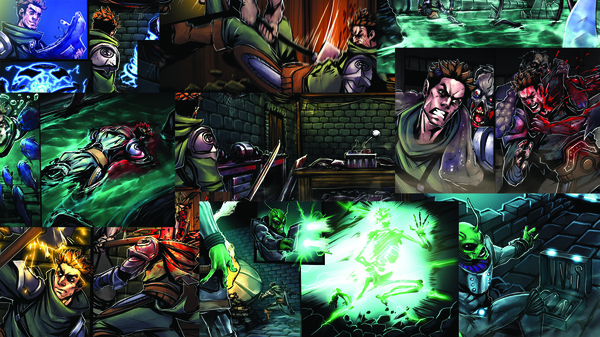
This DLC contains 324 in-game scene + 9 ending scenes in full HD quality (1920x1080p), so you can set any of them as wallpaper for your PC Desktop. Explore historical player activity and pricing for Swordbreaker The Game - All in-game scenes HD wallpapers + game OST. Player-count data was last observed May 2, 2026.
Swordbreaker The Game - All in-game scenes HD wallpapers + game OST player count and price summary
- Current players
- Unavailable
- All-time peak
- Unavailable
- 24-hour player change
- Unavailable
- Current US price
- $0.79
Player count last observed . Values marked unavailable are not estimated.
Media gallery 1 screenshots · 0 videos
Screenshots
Game Insights
Buy Verdict
Decent deal at 60% off, but might drop further. Watch for better opportunities.
Value Score
Price-to-player ratio ranks in the 100th percentile.
Genre Benchmarks
Price History
No Recent Price History
Price history data will appear here once more pricing information becomes available.
System Requirements
- OS *: Windows 7, 8, 10
- Processor: Intel Core2Duo or higher
- Memory: 2 GB RAM
- Graphics: Any videocards
- OS *: Windows 7, 8, 10
- Processor: Intel Core2Duo or higher
- Memory: 2 GB RAM
- Graphics: Any videocards
- OS: El Capitan
- Processor: Intel Core2Duo or higher
- Memory: 2 GB RAM
- Graphics: Any videocards
- Storage: 600 MB available space
- OS: El Capitan
- Processor: Intel Core2Duo or higher
- Memory: 2 GB RAM
- Graphics: Any videocards
- Storage: 600 MB available space
Additional Information
*languages with full audio support
Current Pricing
Additional Information
Developer Analytics
Loading competitors...
About This Game
This DLC contains 324 in-game scene + 9 ending scenes in full HD quality (1920x1080p), so you can set any of them as wallpaper for your PC Desktop.
Detailed Description
Also we add all in-game music into this.
All scenes and OST you can find in game folder, open game properties in Steam, click "Show local files".