RPG Maker MZ - Light and Shadow Plugin
RPG Maker MZ - Light and Shadow Plugin - Steam Charts & Historical Stats
“Light and Shadow Plugin for RPG Maker MZ” is a shader plugin that calculates wall shadows, object shadows, character shadows, and shading in real time, allowing you to freely control lighting... Explore historical player activity and pricing for RPG Maker MZ - Light and Shadow Plugin. A current player-count observation is unavailable.
RPG Maker MZ - Light and Shadow Plugin player count and price summary
- Current players
- Unavailable
- All-time peak
- Unavailable
- 24-hour player change
- Unavailable
- Current US price
- Price unavailable
No current player-count observation is available; unavailable values are not estimated.
Media gallery 5 screenshots · 1 videos
Screenshots
Videos
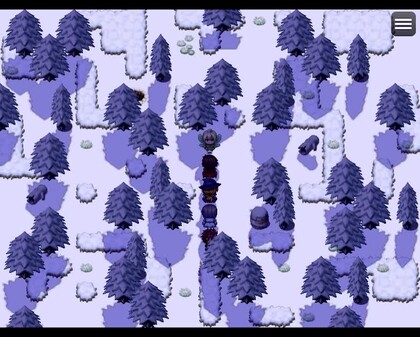
PV
System Requirements
- Additional Notes: System supporting RPG Maker MZ
- Additional Notes: System supporting RPG Maker MZ
- Additional Notes: System supporting RPG Maker MZ
- Additional Notes: System supporting RPG Maker MZ
$44.99 $40.49
Additional Information
Current Pricing
Additional Information
Developer Analytics
Loading competitors...
About This Game
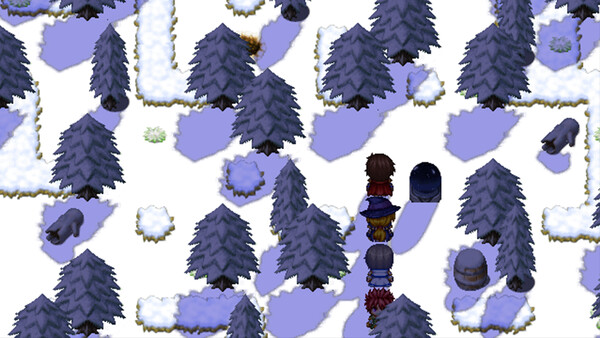
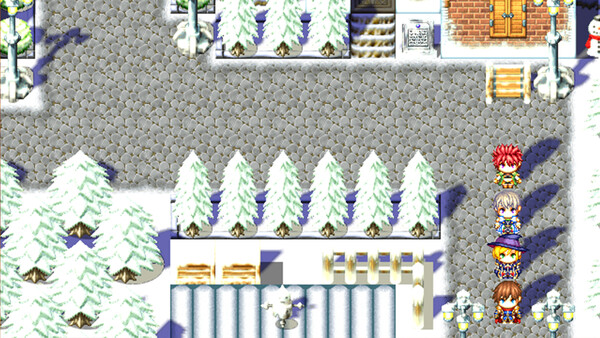
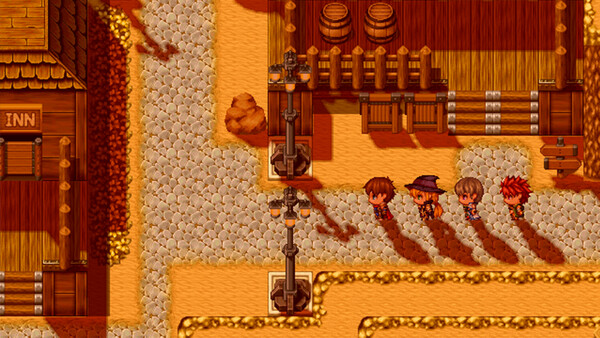
“Light and Shadow Plugin for RPG Maker MZ” is a shader plugin that calculates wall shadows, object shadows, character shadows, and shading in real time, allowing you to freely control lighting according to time of day and weather.
Detailed Description
Add Shadows to Standard RPG Maker MZ Maps!
“Light and Shadow Plugin for RPG Maker MZ” is a shader plugin that calculates wall shadows, object shadows, character shadows, and shading in real time, allowing you to freely control lighting according to time of day and weather.
Includes an easy-to-understand sample project!
🔥 Key Features
Real-Time Shadow Generation
Automatically draws step-style shadows up to 6 tiles high from tiles marked with terrain tags.
Fully compatible with zoom and camera shake.
Surface Shading
Darkens the top surfaces of shaded objects and enhances depth based on the light direction.
Shadow intensity can be changed instantly using a single variable.
Character Shadow Support
Supports large character sprites up to 512 px (1 tile).
Shadow shapes change dynamically with bush effects and character animations.
Full Lighting Control
Control angle, color, intensity, blur, and brightness using game variables.
Lighting can be changed through event commands to represent day/night cycles, weather, and special effects.
Lightweight Design
Shadow textures cache only the two most recent maps.
Returning to a map loads extremely quickly, and an OFF command completely releases memory.
Easy Setup
Only three steps required:
Set terrain tags
Prepare game variables
Use the ON command
Can be added to existing projects immediately.
🚀 Quick Start Guide
Specify the terrain tags and variables used by the plugin in the plugin parameters.
Prepare 8 game variables:
Angle
Brightness
RGB color
Shadow intensity
Blur
Shading intensity
Assign terrain tags:
Terrain Tag 1
Walls and objects that should cast shadowsTerrain Tag 2
Surfaces where shadows should be removed (roofs, ceilings, etc.)
Call the plugin command “Filter ON” at map start or during events.
Shadows will appear automatically.
Disable Shadows for Specific Events
Add the following to the event note field:
<noShadow>
Changing variables will update lighting instantly during gameplay.
🔧 Adjustable Parameters (All Controlled by Game Variables)
Shadow Angle
0 – 359°
Opacity
0 (transparent) – 255 (opaque)
Shadow Color (R/G/B)
–255 to +255
Positive values strengthen the color, negative values weaken it.
Shadow Density
Overall strength of the shadow
Shadow Darkness
How dark the shadow appears
Shadow Blur
Blur strength of the shadow edges
Shade Density
Darkness of object shading
⚠️ Limitations / Unsupported Cases
The following are currently not supported:
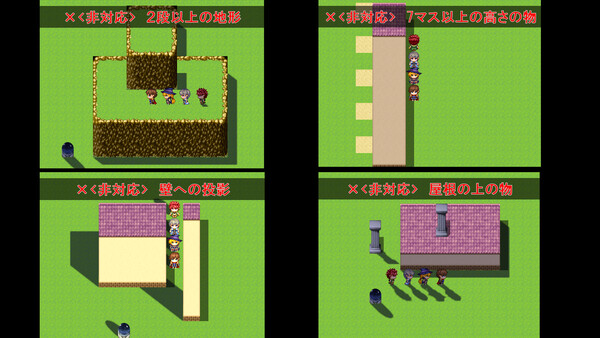
Buildings 7 tiles or taller
Multi-level terrain (two or more elevation steps)
Shadows projected onto walls
Objects placed on roofs
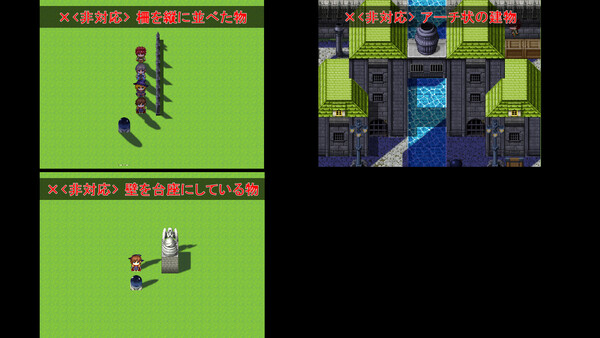
Complex terrain such as arches or hollow structures
Objects using walls as pedestals
Slopes or diagonal staircases
Vertical A2 fence shadow connections
Map scaling below 1.0
Plugins that dynamically change map size
Light angles fixed to 0 / 90 / 180 / 270 degrees
Q&A
Q. I want to add a shadow to a chimney next to a roof.
A. Create a tile that includes the empty space around it and place it on the building’s side wall.
Q. I want shadows on an arch-shaped building.
A. Place the entire structure as a single tile using the BCDE tileset.
Q. I want shadows inside a skeleton-style structure with visible interiors.
A. Place black tiles with over 50% transparency inside the structure to create realistic shading.
Q. Shadows are missing when using layered tiles.
A. If a tile spans multiple layers, combine it into one tile before placing it.
-----
・This pack is for use in RPG Maker Series or the engine of your choice.
・OK to be used in Commercial projects made in RPG Maker
・The modification, redistribution, or resale of this plugin bundle and any individual plugins is strictly prohibited.