TinyChip Workstation
TinyChip Workstation - Steam Charts & Historical Stats
Create retro-inspired game music from the sound up. Explore historical player activity and pricing for TinyChip Workstation. Player-count data was last observed Sep 30, 2026.
TinyChip Workstation player count and price summary
- Current players
- Unavailable
- All-time peak
- 1
- 24-hour player change
- Unavailable
- Current US price
- $33.99
Player count last observed . Values marked unavailable are not estimated.
Media gallery 6 screenshots · 1 videos
Screenshots

Videos

TinyChip Workstation Trailer
Last Tracked Players
All-Time Peak
Estimated Owners
Game Insights
Buy Verdict
Decent deal at 15% off, but might drop further. Watch for better opportunities.
Price History
System Requirements
- OS: Windows 10 64-bit
- Processor: Intel Core i3 / AMD Ryzen 3 or equivalent
- Memory: 4096 MB RAM
- Graphics: Integrated graphics
- Storage: 200 MB available space
- Sound Card: Any compatible audio output device
- VR Support: None
- OS: Windows 11 64-bit
- Processor: Intel Core i5 / AMD Ryzen 5 or equivalent
- Memory: 8192 MB RAM
- Graphics: Integrated or dedicated graphics
- Storage: 250 MB available space
- Sound Card: Compatible audio output device or audio interface
- VR Support: None
$39.99 $33.99
Additional Information
Player-to-Price Ratio
Current Pricing
Additional Information
Developer Analytics
Loading competitors...
About This Game
Create retro-inspired game music from the sound up. Build layered synth instruments, shape sampled sounds and drum kits, compose in a modern timeline and piano roll, use Composer Clips that follow your chords and key, then export audio, stems, MIDI or Track Data for Unity and Unreal.
Detailed Description
SHAPE THE SOUND. WRITE THE MUSIC. BRING IT INTO YOUR GAME.
TinyChip Workstation brings instrument design, visual composition and game-ready export together in one focused workstation for retro-inspired music.
Build the sound yourself, write every note in the piano roll, arrange with Composer Clips that follow your chords and key, or combine these approaches in the same project. TinyChip includes the synthesis, sampling, drum, automation, mixing and export tools needed to take an idea from its first oscillator to a finished game soundtrack.
BUILD AND SHAPE YOUR OWN INSTRUMENTS
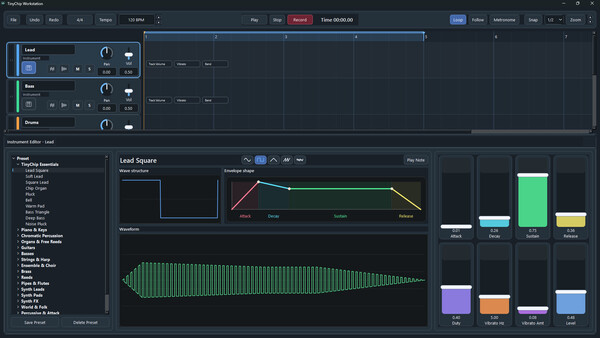
Sound design is a central part of TinyChip. Begin with a blank instrument or reshape any factory preset in the Instrument Editor.
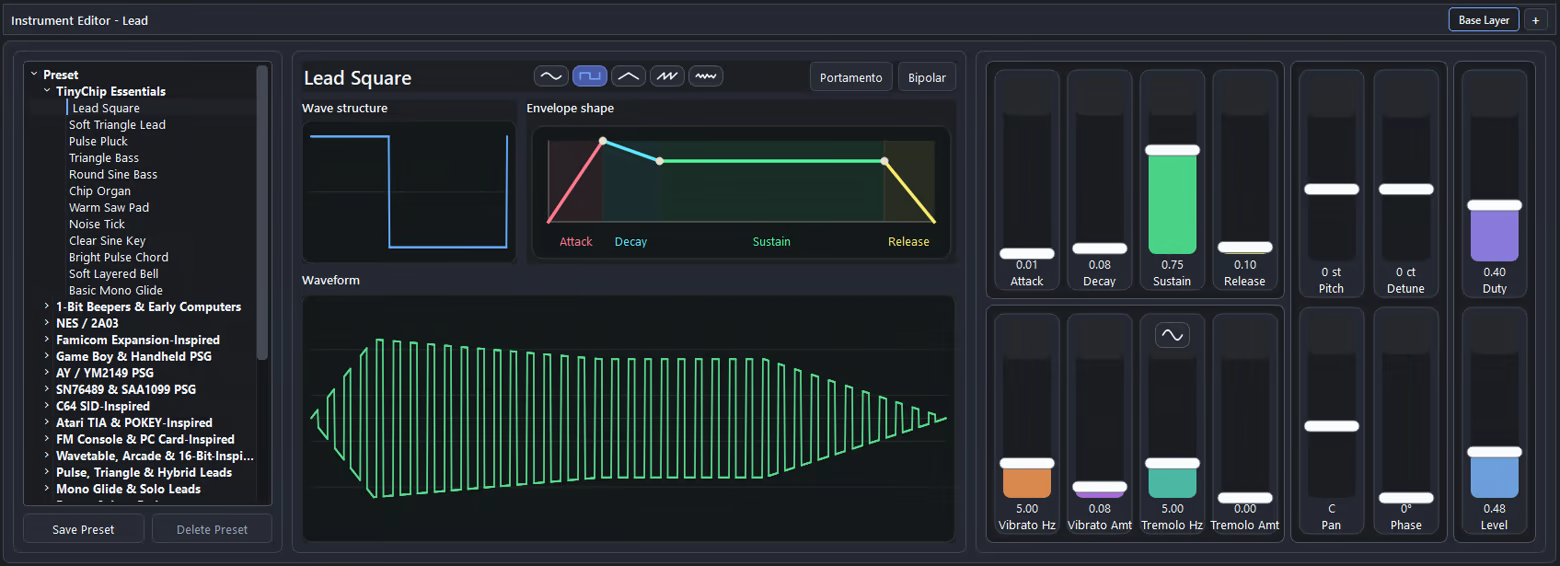
Choose from sine, square, triangle, saw and noise sources. Each waveform has its own shaping control: adjust the duty of a square wave, skew a triangle, tilt a saw, reshape a sine or change the colour of noise. Live displays show the wave structure, envelope and resulting waveform as you edit.
Build synthesised instruments from up to three independently controlled oscillator layers. Each layer can use its own:
Waveform and waveform shape
Attack, decay, sustain and release envelope
Pitch and fine detune
Level and stereo position
Oscillator phase
Vibrato and tremolo
Use pitch offsets to add octaves or musical intervals, fine detune and stereo positioning to create width, and phase to alter how layered attacks combine. Add adjustable portamento when notes should glide rather than move in fixed steps.
Create compact beeper voices, pulse leads, chip basses, tuned oscillator stacks, wide pads, bells, keys, atmospheric textures and game effects, then save your designs as reusable presets.
START WITH 324 FACTORY INSTRUMENTS
Sound design does not have to begin from silence.
TinyChip includes 324 factory instrument presets organised across 24 categories. Explore early-computer and beeper sounds, pulse and triangle voices, console- and computer-inspired instruments, basses, leads, keys, strings, winds, bells, pads, atmospheric textures, game effects and original fantasy-console sounds.
Use a preset as supplied, reshape it for the current track, add or alter oscillator layers, or save a new variation to your own preset library.
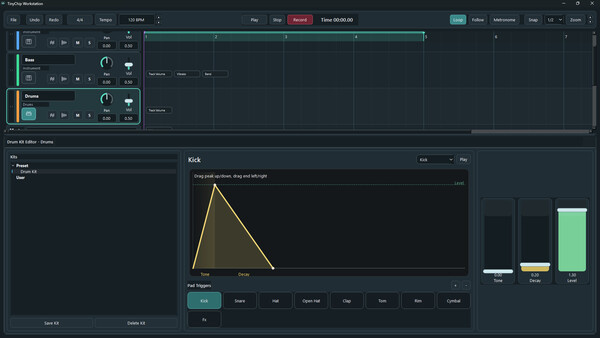
TinyChip also supports sampled instruments and drums. Import WAV files to create pitched, playable instruments with envelope, modulation and portamento controls. Build custom sample drum kits by assigning your own sounds to pads, or create synthesised drum voices with editable tone, decay and level.
WRITE EVERY NOTE — OR BUILD WITH COMPOSER CLIPS
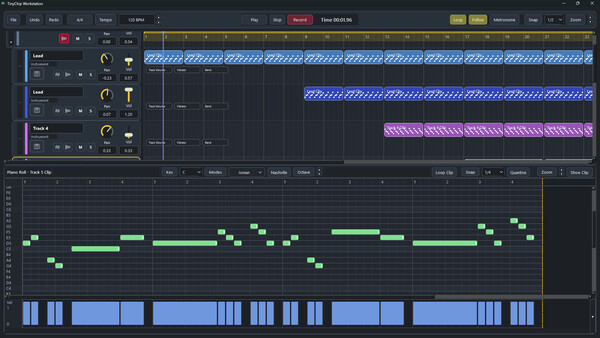
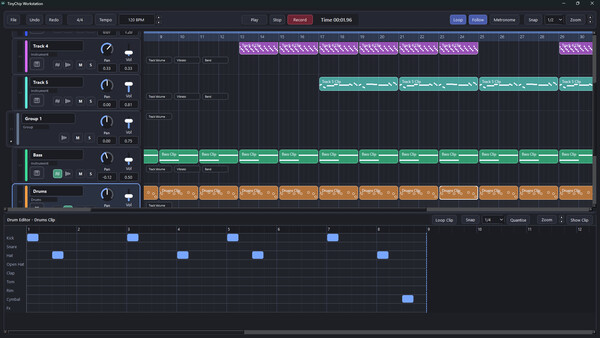
Compose in a track-based timeline with detailed piano-roll editing.
Record from a MIDI keyboard or draw notes directly, then adjust pitch, timing, length and velocity. Use snapping, quantisation, scales, time signatures and reusable clips to develop anything from a short loop to a complete arrangement.
Composer Clips provide another way to work. Choose bass lines, chord patterns, arpeggios, ostinatos, melodic phrases and other musical parts from the Composer catalogue, then place them into the arrangement. These clips follow the chords and key of your song, allowing you to explore a new progression without rebuilding every accompanying part note by note.
You can also turn your own music into Composer Clips. TinyChip analyses an ordinary clip and suggests how its notes should follow changes in chord and key while preserving the rhythm and shape of the phrase. Use the suggested result, adjust how it follows the harmony, or convert the current result back into ordinary notes for direct piano-roll editing.
Normal clips and Composer Clips can be used together in the same project, so the adaptive workflow remains a choice rather than a replacement for writing music yourself.
SHAPE THE PERFORMANCE OVER TIME
Use automation to change the performance across the arrangement.
Draw changes to track volume, vibrato, tremolo and pitch bend. When portamento is active, automate glide time to control how quickly one note reaches the next.
Create deliberate note slides, dynamic swells, rhythmic tremolo, evolving modulation and expressive sustained parts while keeping every change synchronised with the music.
MIX AND INSPECT THE RESULT
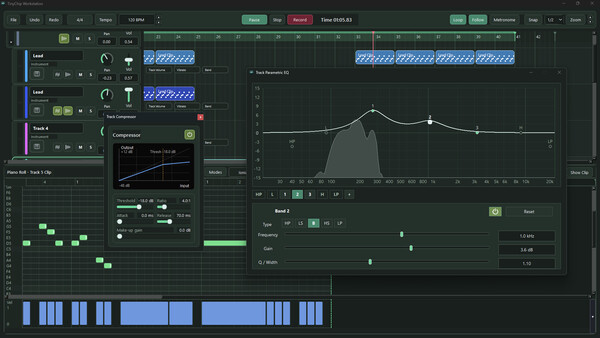
Route tracks through groups, balance their level and stereo position, and control dynamics with compression.
Shape individual tracks or the full mix with parametric EQ. Use live spectrum and spectrogram displays during playback to inspect frequency content and see how instruments interact. Master metering provides a clear warning when the output begins to clip.
EXPORT FOR GAMES
Export the complete mix, individual stems or MIDI files.
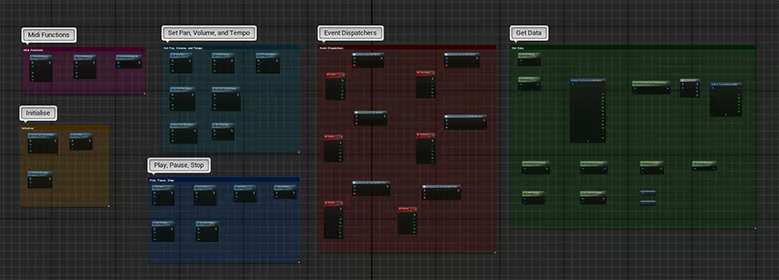
TinyChip Track Data retains the composition for playback through TinyChip’s Unity and Unreal integrations. Dedicated loop and release-tail markers define how music repeats and how its final notes are allowed to finish during gameplay.
KEY FEATURES
Track-based timeline and detailed piano-roll editing
Five oscillator types with waveform-specific shaping
Up to three independently editable oscillator layers
Per-layer ADSR envelope, pitch, detune, level, pan and phase controls
Vibrato, tremolo and adjustable portamento
Live wave-structure, envelope and waveform displays
324 factory instrument presets across 24 categories
Reusable custom instrument presets
Pitched sample instruments and sample libraries
Synthesised and sample-based drum kits
Composer Clips that follow the chords and key of your song
Catalogue of bass lines, chord parts, arpeggios, ostinatos and melodic phrases
Conversion between ordinary clips and Composer Clips
MIDI recording, import and export
Automation for volume, vibrato, tremolo, pitch bend and glide time
Group routing, per-track EQ, master EQ and compression
Live spectrum and spectrogram analysis
Complete-mix, stem, MIDI and TinyChip Track Data export
Unity and Unreal integration
Loop and release-tail markers for game playback