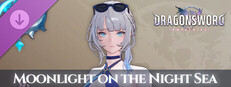
DragonSword : Awakening - Costume : Moonlight on the Night Sea
DragonSword : Awakening - Costume : Moonlight on the Night Sea - Steam Charts & Historical Stats
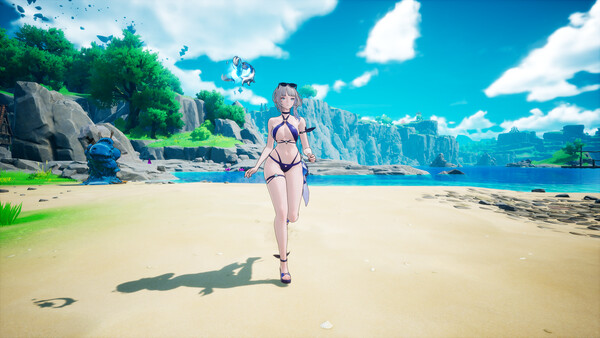
Purchasing this content lets you obtain "Moonlight on the Night Sea" which adorns Cerese's outfit, and "Star upon the Waves" which adorns the weapon's appearance. Explore historical player activity and pricing for DragonSword : Awakening - Costume : Moonlight on the Night Sea. A current player-count observation is unavailable.
DragonSword : Awakening - Costume : Moonlight on the Night Sea player count and price summary
- Current players
- Unavailable
- All-time peak
- Unavailable
- 24-hour player change
- Unavailable
- Current US price
- Price unavailable
No current player-count observation is available; unavailable values are not estimated.
Media gallery 4 screenshots · 0 videos
Screenshots


System Requirements
- Requires a 64-bit processor and operating system
- Requires a 64-bit processor and operating system
Additional Information
*languages with full audio support
Current Pricing
Additional Information
Developer Analytics
Loading competitors...
About This Game
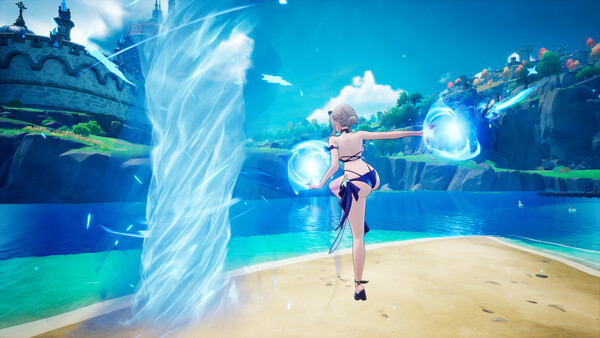
Purchasing this content lets you obtain "Moonlight on the Night Sea" which adorns Cerese's outfit, and "Star upon the Waves" which adorns the weapon's appearance.
Detailed Description
※ This content requires the base game (DragonSword : Awakening) to play.
[Contents]
- Costume : Moonlight on the Night Sea
- Weapon Appearance : Star upon the Waves
[Costume : Moonlight on the Night Sea]
Cerese's summer outfit, pairing a calm navy swimsuit with black ribbons.
Even under the blazing sun, her gaze glimmers as cool as the midnight moon.
[Weapon Appearance : Star upon the Waves]
Cerese's arcane device, where stars imbued with blue starlight ripple like the tide.
It appears to float calmly, but the moment magic touches it, it surges outward like a blue wave.
[How to Obtain In-Game After Purchasing the Costume DLC]
1. Press "ESC" on the keyboard or the "≡" button on the gamepad to enter the "Main Menu"
2. Select the "Hero" menu
3. Select the character of the purchased costume
4. Select the hanger-shaped icon at the bottom left
5. Select and equip the outfit you want
※ If purchased while the game is running, it can be confirmed after restarting the game.
※ Costumes can be used after obtaining the corresponding hero. Heroes can be obtained by completing quests or through the Exchange.