Game overview
SONAR Theme Editor
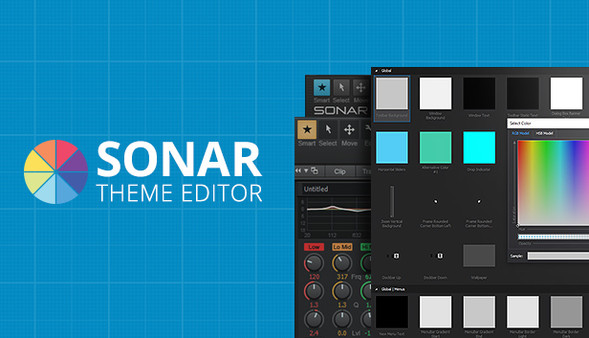
The SONAR Theme Editor allows users to modify and customize .png and .bmp images in SONAR's interface. Replace a background, modify a knob, change your metering or completely overhaul your favorite view. With the Theme Editor, you're only limited by your imagination.
- Last tracked players
- 0
- All-time peak
- Unavailable
- 24-hour change
- Unavailable
Delayed observation · last tracked . Values marked unavailable are not estimated.
About this game Read the full description
The SONAR Theme Editor allows users to modify and customize .png and .bmp images in SONAR's interface. Replace a background, modify a knob, change your metering or completely overhaul your favorite view. With the Theme Editor, you're only limited by your imagination.
Create your own look
Make SONAR your own with the Theme Editor, an integrated utility that gives you total control over your DAW’s look with any photo editing application. Create beautiful alterations of either the Tungsten and Mercury Themes or expand on our Theme Editor Toolkit of ready-to-use assets that ship with the app. Themes are compact and easy to load, so attaching your theme to an email and sending it to your friends is easy.Browse Any View, Any Parameter
The Theme Browser organizes all of SONAR’s assets into a clean folder hierarchy for immediate access to all customizable parameters. Searching for a specific parameter or view is quick and easy.Any Color At Your Fingertips
The Theme Editor encourages you to completely overhaul SONAR’s default color state. The built in RGB Color picker gives you access to the entire color spectrum, complete with hexadecimal color codes.Customize Button States
Get complete access to all button states within SONAR and create your own color story on hover, click, and much more. Double-clicking an image opens your go-to photo editor for fast editing and immaculate file management.Your Own ProChannel Design
Create your own analog look for every module in your mix. The Theme Editor for SONAR Platinum allows you to modify or replace the ProChannel Module backgrounds, knobs and button states.Track Icon Compatibility
Easily replace any track icon of with your own design. Fly in pictures of your favorite guitar, your pets, your third party synth, or even a headshot. There’s nowhere you can’t take the look and feel of your DAW.Customize Knob Positions
Using SONAR with default knobs is now your choice. The Theme Editor gives you control over every last knob position for SONAR, including pan, gain, sends, EQ, Compressors and much more.Media gallery 1 screenshots · 7 videos

Screenshots
Videos
Opening the Theme Editor
Customizing SONAR's UI Using The Theme Editor
Expanding On The Theme Editor Toolkit
How To Customize Button and Knob States in SONAR
Player activity
Concurrent players over the last 48 hours.
Loading player history?
System requirements Windows
Windows
Minimum
Minimum:- OS *: Windows 7, 8, or 10 (32- or 64-bit)
- Graphics: 1280x800 (1920 x 1080+ recommended)
- Storage: 50 MB available space
- Additional Notes: Note: An image editor that supports .bmp, .png, and transparency must be installed on your system to manipulate theme images.
Recommended
Recommended:- Additional Notes: Note: MS Paint does not support transparencies.
Game details Languages, features & support
- Publisher
- Cakewalk
- Features
- Single-player, Downloadable Content
- Languages
- English
- Website
- Official website ↗
- Support
- [email protected] Support site ↗
More analysis Activity patterns, updates & developer tools
Game Insights
Value Score
Fair Value — 50th percentile.
Price-to-player ratio ranks in the 50th percentile.
▬
Market pricing tier
Developer Analytics
Loading competitors...
Frequently Asked Questions
Is SONAR Theme Editor free to play?
Yes, SONAR Theme Editor is free to play on Steam.
What genre is SONAR Theme Editor?
SONAR Theme Editor is a Audio Production, Utilities game.
Who developed SONAR Theme Editor?
SONAR Theme Editor was developed by Cakewalk and published by Cakewalk.
What platforms does SONAR Theme Editor support?
Available on Steam for Windows.