
Desktop Muse
Desktop Muse - Steam Charts & Historical Stats
She doesn’t just sit there. Explore historical player activity and pricing for Desktop Muse. Player-count data was last observed Sep 30, 2026.
Desktop Muse player count and price summary
- Current players
- Unavailable
- All-time peak
- 4
- 24-hour player change
- Unavailable
- Current US price
- $4.99
Player count last observed . Values marked unavailable are not estimated.
Media gallery 5 screenshots · 1 videos
Screenshots


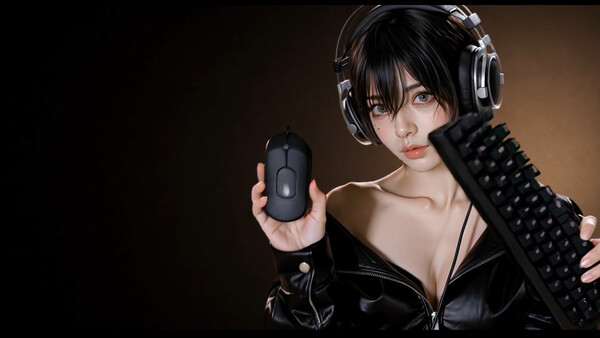


Videos

en
Last Tracked Players
All-Time Peak
Estimated Owners
Game Insights
Buy Verdict
Decent deal at 0% off, but might drop further. Watch for better opportunities.
Update Momentum
2 patches and 3 news items in last 180 days. Latest patch effect size: 0.00.
Activity Heatmap
No samples
1 players · 1 samples
No samples
No samples
2 players · 1 samples
No samples
No samples
2 players · 1 samples
No samples
4 players · 1 samples
No samples
No samples
No samples
1 players · 1 samples
No samples
No samples
2 players · 1 samples
No samples
No samples
1 players · 1 samples
No samples
No samples
0 players · 1 samples
No samples
No samples
No samples
0 players · 1 samples
No samples
No samples
0 players · 1 samples
No samples
No samples
0 players · 1 samples
No samples
0 players · 1 samples
No samples
No samples
0 players · 1 samples
No samples
No samples
No samples
0 players · 1 samples
No samples
No samples
1 players · 1 samples
No samples
No samples
No samples
1 players · 1 samples
No samples
No samples
1 players · 1 samples
No samples
No samples
2 players · 1 samples
No samples
3 players · 1 samples
No samples
No samples
2 players · 1 samples
No samples
No samples
No samples
4 players · 1 samples
No samples
No samples
3 players · 1 samples
No samples
No samples
2 players · 1 samples
No samples
No samples
No samples
1 players · 1 samples
No samples
No samples
1 players · 1 samples
No samples
No samples
1 players · 1 samples
No samples
No samples
2 players · 1 samples
No samples
No samples
2 players · 1 samples
No samples
No samples
No samples
No samples
No samples
2 players · 1 samples
No samples
No samples
No samples
2 players · 1 samples
No samples
No samples
2 players · 1 samples
No samples
No samples
2 players · 1 samples
No samples
No samples
2 players · 1 samples
No samples
No samples
2 players · 1 samples
No samples
No samples
No samples
4 players · 1 samples
No samples
No samples
1 players · 1 samples
No samples
No samples
No samples
1 players · 1 samples
No samples
No samples
1 players · 1 samples
No samples
No samples
1 players · 1 samples
No samples
1 players · 1 samples
1 players · 1 samples
No samples
1 players · 1 samples
3 players · 1 samples
No samples
1 players · 1 samples
1 players · 1 samples
No samples
No samples
1 players · 1 samples
1 players · 1 samples
No samples
2 players · 1 samples
1 players · 1 samples
No samples
No samples
2 players · 2 samples
No samples
No samples
0 players · 1 samples
No samples
No samples
0 players · 1 samples
No samples
No samples
2 players · 1 samples
No samples
No samples
1 players · 1 samples
No samples
No samples
No samples
2 players · 1 samples
No samples
No samples
2 players · 1 samples
No samples
No samples
1 players · 1 samples
No samples
No samples
Update Timeline
Steam News observations with inferred categories. CCU and review comparisons are associations, not proof of causation.
09.30 Update
announcementGemini TTS Support - Added support for Gemini 3.8 Flash-Lite/Flash TTS. - Choose from 30 preset voices. - Added Voice Design, allowing you to create custom voices using natural-language descriptions. Voice Input Improvements - Improved speech start and end detection to reduce res…
09.20 Developer's Note
announcement[p]Hello, we’re [b]The Platypus[/b].[/p][p]Since the launch of Desktop Muse, we’ve received a lot of support and feedback.[/p][p]Many of you told us that you wanted to see more animations, more variations, and more things for Ren to do on your desktop.[/p][p]With this update, we’…
09.20 Update
announcement[list] [*] Expanded to 50+ animations, with more reaction variations. [*] Added Google Calendar integration for schedule management. [*] Added weather lookup. [*] Added support for drafting messages, including messages for apps such as KakaoTalk. [*] Improved the stability of ope…
Price History
System Requirements
- Requires a 64-bit processor and operating system
- OS: Windows 10 64bit / Windows 11 64bit
- Processor: Intel Core i5-8250U 1.6GHz / AMD Ryzen 3 3300U
- Memory: 8 MB RAM
- Graphics: Intel UHD Graphics 730 / Radeon VEGA 8
- Storage: 500 MB available space
- Additional Notes: A GPU or a CPU with integrated graphics is required. These requirements are based on displaying one character (required performance may increase depending on the number of characters displayed and your settings).
- Requires a 64-bit processor and operating system
- OS: Windows 11 64bit
- Processor: Intel Core i5-11400 2.6GHz / AMD Ryzen 5 3600
- Memory: 16 MB RAM
- Graphics: NVIDIA GeForce GTX 750 / AMD Radeon RX550 / Intel Iris Xe Graphics / Radeon VEGA 11
- Storage: 4 GB available space
- Additional Notes: A GPU or a CPU with integrated graphics is required. These requirements are based on displaying one character (required performance may increase depending on the number of characters displayed and your settings).
Additional Information
Player-to-Price Ratio
Current Pricing
Additional Information
Developer Analytics
Loading competitors...
About This Game
She doesn’t just sit there. Her expressions and movements change with what you do. See how she reacts throughout your day.
Detailed Description
Spend Every Day on Your PC Together.
Desktop Muse is more than just a character on your desktop.
She notices what you're doing and responds to your daily PC activities with different animations. She can also understand what you say, check your schedule, and help with supported everyday computer tasks.
A desktop companion that's truly there with you while you use your PC.
Alive on Your Desktop
Desktop Muse currently features more than 50 animations, with multiple variations for certain situations.
Ren responds in her own way depending on what you're doing. For example:
When you play a game, she gets into gaming mode too.
When you watch a video, she'll stay by your side and watch along.
When a download finishes, she'll let you know right away.
If you have unread messages, she'll remind you not to forget about them.
You don't need to constantly interact with her.
Just use your PC as usual, and you'll gradually discover more sides of her.
She Understands What You Want to Do
After connecting a supported desktop AI tool, you can communicate directly with Ren through text or voice.
She can check your Google Calendar and remind you about upcoming events, look up the weather, help draft messages, play music, and perform supported computer actions.
*You can connect Google Calendar from Settings. Right-click the Desktop Muse icon in the system tray and select Settings. On the Settings page, select Calendar, then choose the Google account you want to connect.
PC control features such as opening and moving windows have also been made more stable. When you launch a Steam game, Ren will also enter the corresponding Game Mode.
Currently supported:
OpenAI Codex / Anthropic Claude Code / Doubao / DeepSeek
*Because the Agent features of Doubao and DeepSeek are not yet fully available, Ren may behave inconsistently when connected to either service. These features are still being actively improved, and there is plenty of room for further refinement. We’ll continue improving their stability and usefulness based on real-world usage.
Desktop Muse will continue to add more animations, interactions, and useful Companion features.
Not just staying on your desktop.
Using your PC together with you.
Desktop Muse — Your Desktop Companion
AI Companion Setup
Install and sign in to a supported desktop AI tool, such as OpenAI Codex, Anthropic Claude Code, Doubao, or DeepSeek.
Launch Desktop Muse.
Go to Settings → Advanced → Voice Assistant and turn it on.
You can type to Ren, or press Ctrl + Alt + Space / click the microphone button next to the character to use voice input.
To let Ren perform supported computer actions, enable Local Desktop Control.
Voice output uses Windows TTS by default. To use ElevenLabs or OpenAI TTS, enter your own API Key and configure the corresponding voice settings.