Pro Motion NG
Pro Motion NG - Steam Charts & Historical Stats
Pro Motion NG is not only a powerhouse of tools for creating pixel art and animations in general, it also offers many custom features to help you perfectly match the color fidelity, resolutions and... Explore historical player activity and pricing for Pro Motion NG. Player-count data was last observed Sep 27, 2026.
Pro Motion NG player count and price summary
- Current players
- Unavailable
- All-time peak
- 21
- 24-hour player change
- Unavailable
- Current US price
- $24.99
Player count last observed . Values marked unavailable are not estimated.
Media gallery 5 screenshots · 5 videos
Screenshots
Videos
Promotional Trailer
Getting Started
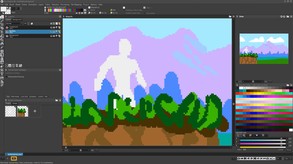
Intro to Pro Motion NG
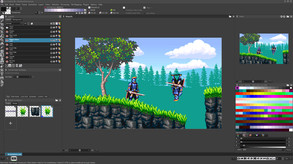
Brush Features vs. Selection Copy & Paste
Last Tracked Players
All-Time Peak
Estimated Owners
Game Insights
Buy Verdict
Wait for upcoming sale in ~3 days for potentially better pricing.
Value Score
Price-to-player ratio ranks in the 69th percentile. Priced as Market at $24.99.
Genre Benchmarks
Activity Heatmap
No samples
6 players · 2 samples
2 players · 1 samples
6 players · 2 samples
No samples
6 players · 3 samples
6 players · 1 samples
11 players · 1 samples
8 players · 2 samples
No samples
10 players · 2 samples
10 players · 2 samples
8 players · 1 samples
10 players · 1 samples
13 players · 1 samples
7 players · 2 samples
No samples
8 players · 2 samples
4 players · 1 samples
5 players · 1 samples
5 players · 1 samples
4 players · 2 samples
No samples
4 players · 2 samples
5 players · 2 samples
9 players · 1 samples
No samples
11 players · 3 samples
No samples
11 players · 2 samples
14 players · 2 samples
16 players · 1 samples
14 players · 1 samples
10 players · 1 samples
13 players · 2 samples
8 players · 1 samples
10 players · 2 samples
12 players · 1 samples
No samples
9 players · 3 samples
No samples
10 players · 1 samples
8 players · 2 samples
7 players · 1 samples
No samples
7 players · 1 samples
6 players · 2 samples
8 players · 1 samples
6 players · 1 samples
7 players · 1 samples
12 players · 2 samples
9 players · 1 samples
8 players · 2 samples
15 players · 1 samples
13 players · 1 samples
12 players · 2 samples
15 players · 1 samples
10 players · 2 samples
12 players · 1 samples
10 players · 1 samples
7 players · 1 samples
8 players · 1 samples
10 players · 2 samples
No samples
7 players · 2 samples
8 players · 1 samples
4 players · 1 samples
5 players · 1 samples
4 players · 2 samples
No samples
7 players · 1 samples
4 players · 2 samples
No samples
9 players · 1 samples
10 players · 1 samples
11 players · 2 samples
10 players · 1 samples
10 players · 2 samples
8 players · 1 samples
13 players · 1 samples
10 players · 2 samples
13 players · 1 samples
8 players · 1 samples
10 players · 1 samples
10 players · 2 samples
No samples
12 players · 1 samples
10 players · 2 samples
No samples
8 players · 1 samples
4 players · 1 samples
9 players · 2 samples
6 players · 2 samples
3 players · 1 samples
8 players · 1 samples
No samples
4 players · 1 samples
6 players · 2 samples
No samples
10 players · 2 samples
8 players · 1 samples
12 players · 1 samples
12 players · 2 samples
16 players · 1 samples
No samples
10 players · 3 samples
No samples
11 players · 1 samples
9 players · 2 samples
11 players · 1 samples
No samples
10 players · 1 samples
8 players · 2 samples
No samples
9 players · 1 samples
6 players · 2 samples
No samples
5 players · 1 samples
2 players · 2 samples
7 players · 1 samples
No samples
8 players · 2 samples
5 players · 1 samples
No samples
10 players · 2 samples
8 players · 1 samples
15 players · 1 samples
9 players · 1 samples
11 players · 2 samples
No samples
8 players · 2 samples
5 players · 1 samples
No samples
11 players · 1 samples
8 players · 2 samples
15 players · 1 samples
7 players · 1 samples
6 players · 2 samples
10 players · 2 samples
No samples
6 players · 2 samples
4 players · 2 samples
4 players · 1 samples
6 players · 2 samples
4 players · 2 samples
6 players · 2 samples
No samples
3 players · 1 samples
6 players · 2 samples
9 players · 1 samples
11 players · 2 samples
5 players · 1 samples
9 players · 1 samples
7 players · 2 samples
7 players · 1 samples
8 players · 2 samples
No samples
8 players · 2 samples
10 players · 2 samples
9 players · 1 samples
11 players · 1 samples
9 players · 1 samples
4 players · 1 samples
8 players · 1 samples
5 players · 2 samples
No samples
4 players · 2 samples
4 players · 2 samples
Latest News
Price History
No Recent Price History
Price history data will appear here once more pricing information becomes available.
Can I Play This?
Steam declarations and Valve's Steam Deck compatibility result. Missing data is shown as unknown, never unsupported.
Structured language support (1)
| Language | Interface | Full audio | Subtitles |
|---|---|---|---|
| English | Yes | No | No |
Third-party requirements shown by Steam
System Requirements
- Requires a 64-bit processor and operating system
- OS: 8, 10, 11
- Processor: 1 GHz Single Core
- Memory: 512 MB RAM
- Graphics: Any that is capable of video type 2D graphics
- Storage: 30 MB available space
- Requires a 64-bit processor and operating system
- OS *: Win 8, 10, 11
- Processor: 2 GHz Dual Core
- Memory: 2 GB RAM
- Graphics: Any that is capable of video type 2D graphics
Additional Information
Player-to-Price Ratio
Current Pricing
Additional Information
Developer Analytics
Loading competitors...
About This Game
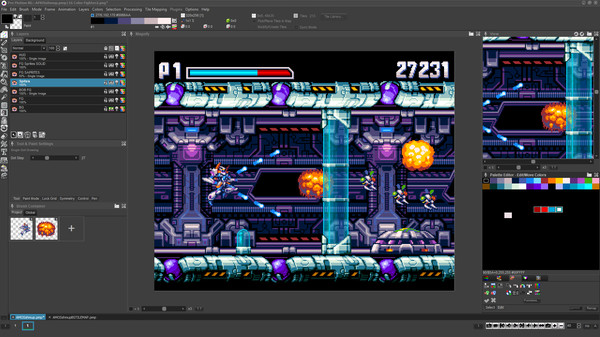
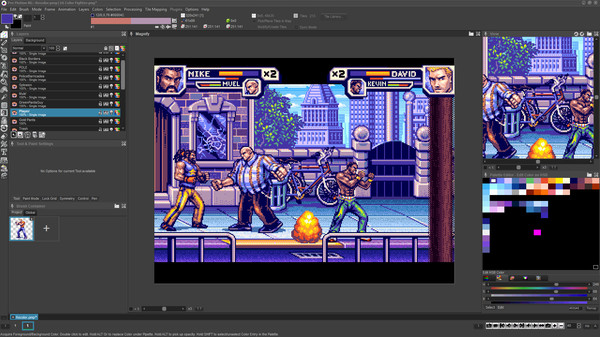
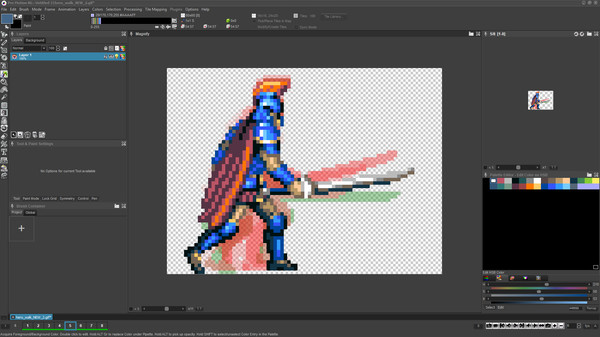
Pro Motion NG is not only a powerhouse of tools for creating pixel art and animations in general, it also offers many custom features to help you perfectly match the color fidelity, resolutions and graphical limitations of classic game consoles and computers.
Detailed Description
The latest version, Pro Motion NG, continues to add and improve upon an already proven and powerful tool-set, enabling pixel artists of all skill levels to bring their imaginations to life.
Dive right in and use the basic brush tools in conjunction with the layer features to sketch out your design.. quickly and easily perfecting the desired sizes, shapes and placement of all key elements - then use the large array of drawing, blending, dithering, and shading features to refine your objects and add detail.
Use the rich array of color management tools to finalize your overall color scheme and arrange your indexed color palette.
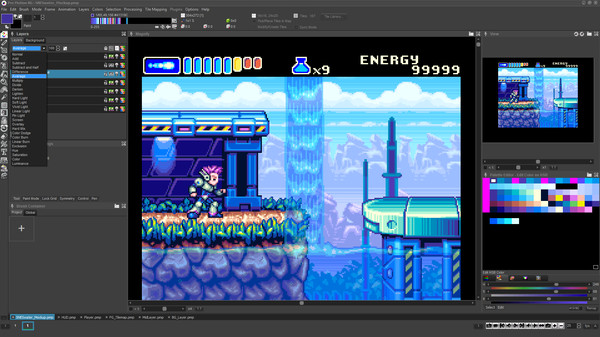
Once your mock-up has allowed you to reach the desired aesthetic and designs, branch out to specific project files to begin working on the individual assets, animations, and tile-sets. Change layer opacity or blending mode for special effects. You can even simulate specific console effect modes like the transparency effects seen in Super Nintendo games.
Create a master project which displays your other projects as separate layers, so you can always see how the most recent and polished versions of all your assets work together to form a finished game screen.
Use the large array of features such as onion-skinning, animated brushes, and time-line editing to animate all the characters, effects and objects for your project. Even use classic color-cycling features to bring single images to life.
Pro Motion NG is not only a powerhouse of tools for creating pixel art and animations in general, it also offers many custom features to help you perfectly match the color fidelity, resolutions and graphical limitations of classic game consoles and computers. If truly legit retro pixel art is your goal, there is no tool better than Pro Motion NG.
Unleash your imagination and make every pixel count, with Pro Motion NG
Excerpt of Features
- Simple color index and alpha transparency- Layer system including layer groups, effects settings, transparency, locking
- Full featured selection tool including multi layer/multi frame copy & paste
- Selection and brush transformations (free, rotate, skew, scale), multi layer/multi frame
- Pixel size definition to have sizes like 2x1
- Support for pattern drawing to create endless textures
- Sprite Sheet support (reading/writing), PNG/BMP
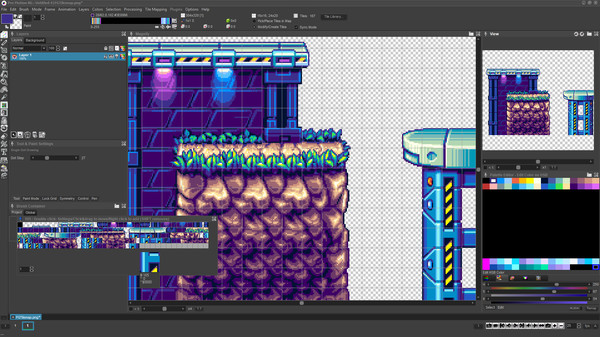
- Tile map editor with auto optimization, mirroring, flexible export, in place tile modification
- Pen pressure support for brush sizes, colors, dithering and gradients
- Pixel perfect drawing to remove smeared pixels in real time
- Animated brushes (brush is animation itself)
- Automatic realtime halftone and transition patterns
- Over 25 different paint modes such as translucent, brighten, darken, shade, soften, color cycle, halftone, tint...
- AnimPainting to automatically flip through frames while drawing
- Draw symmetrical images with a special symmetry drawing options applying to every drawing tool
- Brush container to save and organize brushes, objects and animations for reuse
- Create and use bitmap fonts
- Make canvas transparent to see and draw over any content displayed behind the application like for Rotoscoping
- Key frame definition
- Light table/onion skinning to ease animating
- Define colors in RGB/RYB/HSB/HSL/LCh color schemes
- Create smooth color ramps
- Use gradients to fill objects with different color shades (linear, contour, radial...)
- Sort color palette by hue, saturation, brightness...
- Modify contrast, saturation and brightness of a range of palette colors