Marmoset Toolbag 3 - Portfolio ready renders
Marmoset Toolbag 3 - Portfolio ready renders - Steam Charts & Historical Stats
This free tutorial will show 3D Artists or anyone interested how to set up stunning looking renders to get the most out of our work. Explore historical player activity and pricing for Marmoset Toolbag 3 - Portfolio ready renders. Player-count data was last observed May 1, 2026.
Marmoset Toolbag 3 - Portfolio ready renders player count and price summary
- Current players
- Unavailable
- All-time peak
- Unavailable
- 24-hour player change
- Unavailable
- Current US price
- Price unavailable
Player count last observed . Values marked unavailable are not estimated.
Media gallery 9 screenshots · 1 videos
Screenshots
Videos

Mech Tutorial - 3Ds Max & Substance Painter - Trailer
System Requirements
- OS *: Windows 7
- Processor: Intel Core 2 or AMD equivalent
- Memory: 1 GB RAM
- Network: Broadband Internet connection
- Storage: 200 MB available space
- Additional Notes: Network Bandwidth of 5Mbps for 540p, 3Mbps for 360p.
- OS: Windows 10
- Processor: Intel Core I3+ or AMD equivalent recommended for HD 1080p playback
- Memory: 2 GB RAM
- Network: Broadband Internet connection
- Storage: 500 MB available space
- Additional Notes: Network Bandwidth of 12Mbps for 1080p or 8Mbps for 720p.
- OS: Mac OSX 10.7
- Processor: Intel Core 2 or AMD equivalent
- Memory: 1 GB RAM
- Network: Broadband Internet connection
- Storage: 200 MB available space
- Additional Notes: Network Bandwidth of 5Mbps for 540p, 3Mbps for 360p.
- OS: Mac OSX 10.10+
- Processor: Intel Core I3+ or AMD equivalent recommended for HD 1080p playback
- Memory: 2 GB RAM
- Network: Broadband Internet connection
- Storage: 500 MB available space
- Additional Notes: Network Bandwidth of 12Mbps for 1080p or 8Mbps for 720p.
- OS: Linux Ubuntu 12.04 or later, SteamOS 2.20 or later
- Processor: Intel Core 2 or AMD equivalent
- Memory: 1 GB RAM
- Network: Broadband Internet connection
- Storage: 200 MB available space
- Additional Notes: Network Bandwidth of 5Mbps for 540p, 3Mbps for 360p.
- OS: Linux Ubuntu 12.04 or later, SteamOS 2.20 or later
- Processor: Intel Core I3+ or AMD equivalent recommended for HD 1080p playback
- Memory: 2 GB RAM
- Network: Broadband Internet connection
- Storage: 500 MB available space
- Additional Notes: Network Bandwidth of 12Mbps for 1080p or 8Mbps for 720p.
Additional Information
*languages with full audio support
Additional Information
Developer Analytics
Loading competitors...
About This Game
This free tutorial will show 3D Artists or anyone interested how to set up stunning looking renders to get the most out of our work. It's the stand alone and free chapter of the 15 hour long Mech tutorial for 3D Artists, available here on Steam.
Detailed Description
Steam Video
This content is only available in an online streaming format. More information about streaming videos can be found in the Streaming Videos on Steam FAQ.
Important Information
This episode is the stand alone and free chapter of the 15 hour long Mech Tutorial - 3Ds Max & Substance Painter available here on Steam
About the Video
Master the art of creating portfolio ready renders
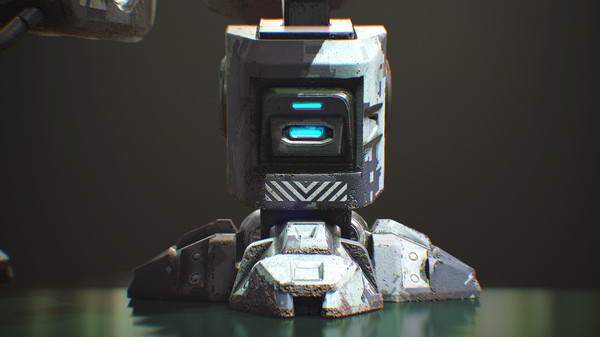
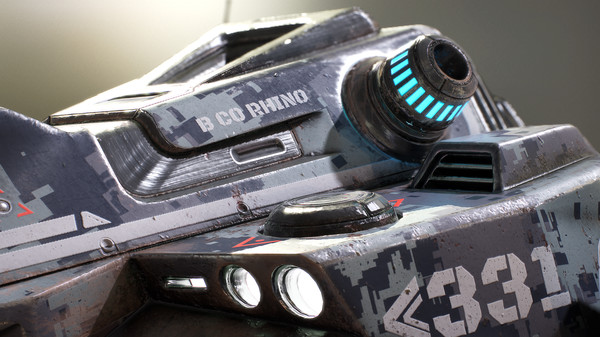
Whether you followed the mech tutorial all the way or just want to learn how to make amazing renders, this 40 minute long course is all about doing exactly that.
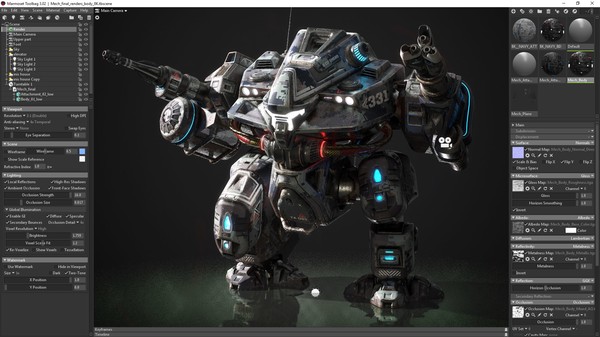
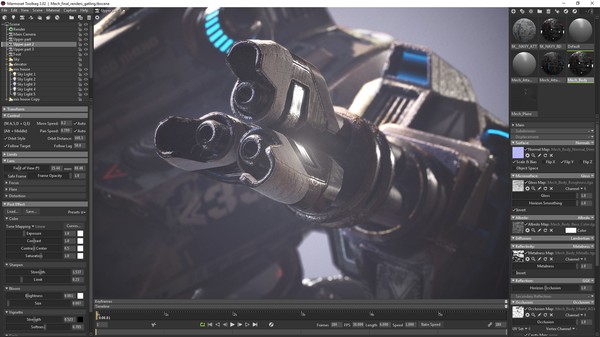
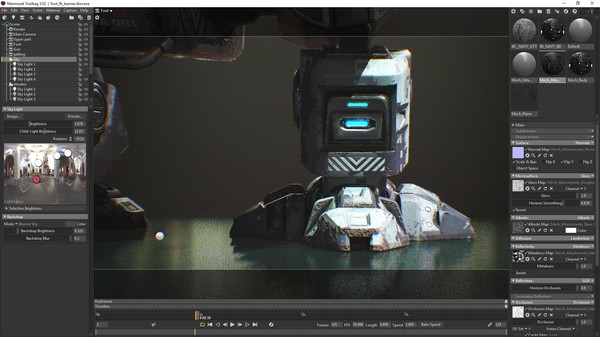
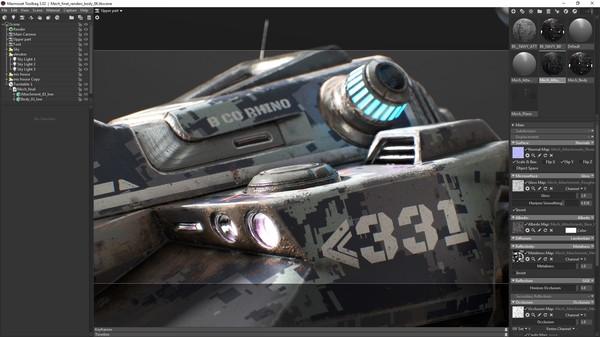
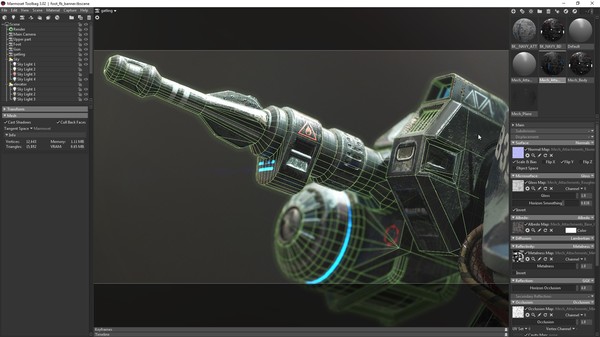
We start the tutorial by taking a quick look into 3Ds Max and Substance Painter to get our models and textures exported right and then jump straight in to Marmoset Toolbag 3 - available here on Steam. We will then cover how to set up our materials followed by tweaking the render and cameras settings.
Learn how to use Global Illumination to our advantage to add even more realism to our render scene.
Learn about the different kinds of HDRI sky's within Marmoset Toolbag 3 and how to add skylights to them to make our scene shine.
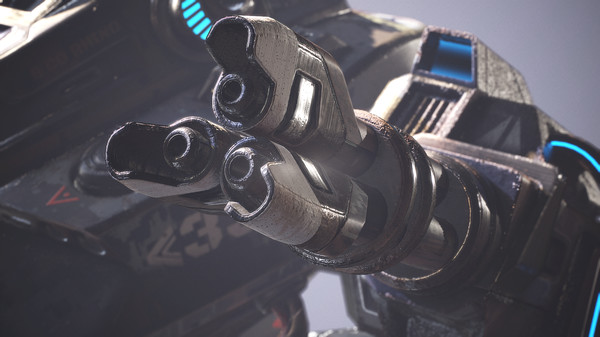
After that we take a look at setting up turntables and how to clone existing cameras to get a nice close up render.
If you are interested in a career as a 3D Artist then check out the trailer for the "Mech Tutorial" available here on Steam.
It will teach you everything you need to know to model, unwrap, bake and texture a triple A game asset such as this mech.
Why Marmoset Toolbag 3
Marmoset Toolbag 3 established itself as the render engine of choice for many 3D Artists, especially working in the game industry or following a low and high poly workflow. It lets you set up a scene in record time and preview your render in real time. It works with the latest Physically Based Rendering tech which is the established standard when it comes to creating textures for video game art. It enables us to make our hard work shine and contribute to our portfolio with the best look possible.
You can purchase it here on Steam.
What do I get from this course?
- 44 minutes of fully documented and commented HD video content.
- Game industry ready knowledge in making portfolio ready renders.
Instructor Biography
Hi! I'm Tim - Senior Weapons Artist at Digital Extremes where I proudly contribute to their latest game!I started my 3D Artist career at Crytek before working at Ubisoft Toronto for five years. I worked on titles such as Far Cry 4, Splinter Cell Blacklist and the Crysis series as well as other non disclosed titles. In my spare time I enjoy creating tutorials in which I share all my tips and tricks which I gathered over the years. Let me help you avoiding mistakes and equipping you with powerful techniques and knowledge in game ready 3D art creation. See you in the tutorial! Cheers, Tim
About the Game
Master the art of creating portfolio ready renders
Whether you followed the mech tutorial all the way or just want to learn how to make amazing renders, this 40 minute long course is all about doing exactly that.
We start the tutorial by taking a quick look into 3Ds Max and Substance Painter to get our models and textures exported right and then jump straight in to Marmoset Toolbag 3 - available here on Steam. We will then cover how to set up our materials followed by tweaking the render and cameras settings.
Learn how to use Global Illumination to our advantage to add even more realism to our render scene.
Learn about the different kinds of HDRI sky's within Marmoset Toolbag 3 and how to add skylights to them to make our scene shine.
After that we take a look at setting up turntables and how to clone existing cameras to get a nice close up render.
If you are interested in a career as a 3D Artist then check out the trailer for the "Mech Tutorial" available here on Steam.
It will teach you everything you need to know to model, unwrap, bake and texture a triple A game asset such as this mech.
Why Marmoset Toolbag 3
Marmoset Toolbag 3 established itself as the render engine of choice for many 3D Artists, especially working in the game industry or following a low and high poly workflow. It lets you set up a scene in record time and preview your render in real time. It works with the latest Physically Based Rendering tech which is the established standard when it comes to creating textures for video game art. It enables us to make our hard work shine and contribute to our portfolio with the best look possible.
You can purchase it here on Steam.
What do I get from this course?
- 44 minutes of fully documented and commented HD video content.
- Game industry ready knowledge in making portfolio ready renders.
Instructor Biography
Hi! I'm Tim - Senior Weapons Artist at Digital Extremes where I proudly contribute to their latest game!I started my 3D Artist career at Crytek before working at Ubisoft Toronto for five years. I worked on titles such as Far Cry 4, Splinter Cell Blacklist and the Crysis series as well as other non disclosed titles. In my spare time I enjoy creating tutorials in which I share all my tips and tricks which I gathered over the years. Let me help you avoiding mistakes and equipping you with powerful techniques and knowledge in game ready 3D art creation. See you in the tutorial! Cheers, Tim