
Game overview
Rysen OST
The original sound track of Rysen. The file format is ogg.
- Last tracked players
- 0
- All-time peak
- Unavailable
- 24-hour change
- Unavailable
Delayed observation · last tracked . Values marked unavailable are not estimated.
About this game Read the full description
The original sound track of Rysen.
The file format is ogg, then you can play with the ogg format compatible player.
For most musics, recommended to play with "loop playback" function.
You can also use these files as BGM in this game.
Click right button to Open Prorerties >
Choose "LOCAL FILES" tab >
Press "BROWSE LOCAL FILES" button >
When the Explorer opens, open the ost folder of the displayed directory >
You can see contents files.
***** track list *****
01. title.ogg
02. start.ogg
03. setup.ogg
04. stage01.ogg
05. stage02.ogg
06. stage03.ogg
07. stage04.ogg
08. stage05.ogg
09. stage06.ogg
10. stage07.ogg
11. boss01.ogg
12. boss02.ogg
13. boss03.ogg
14. ending.ogg
15. nameentry.ogg
Note: To use these files in the game, you need to rename the file name and place it in "%LOCALAPPDATA%\rysen\bgm\".
The file format is ogg, then you can play with the ogg format compatible player.
For most musics, recommended to play with "loop playback" function.
You can also use these files as BGM in this game.
How to access DLC contents
Steam Client > LIBRARY > GAMES > Rysen >Click right button to Open Prorerties >
Choose "LOCAL FILES" tab >
Press "BROWSE LOCAL FILES" button >
When the Explorer opens, open the ost folder of the displayed directory >
You can see contents files.
***** track list *****
01. title.ogg
02. start.ogg
03. setup.ogg
04. stage01.ogg
05. stage02.ogg
06. stage03.ogg
07. stage04.ogg
08. stage05.ogg
09. stage06.ogg
10. stage07.ogg
11. boss01.ogg
12. boss02.ogg
13. boss03.ogg
14. ending.ogg
15. nameentry.ogg
Note: To use these files in the game, you need to rename the file name and place it in "%LOCALAPPDATA%\rysen\bgm\".
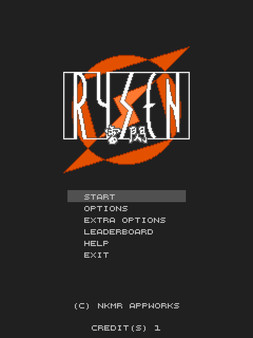
Media gallery 1 screenshots · 0 videos

Screenshots
Player activity
Concurrent players over the last 48 hours.
Loading player history?
System requirements Windows
Windows
Minimum
Minimum:- Storage: 25 MB available space
Game details Languages, features & support
- Publisher
- nkmr appworks
- Features
- Single-player, Downloadable Content, Family Sharing
- Languages
- English
- Website
- Official website ↗
- Support
- [email protected] Support site ↗
More analysis Activity patterns, updates & developer tools
Developer Analytics
Loading competitors...
Frequently Asked Questions
Is Rysen OST free to play?
Yes, Rysen OST is free to play on Steam.
What genre is Rysen OST?
Rysen OST is a Action, Indie game.
Who developed Rysen OST?
Rysen OST was developed by nkmr appworks and published by nkmr appworks.
What platforms does Rysen OST support?
Available on Steam for Windows.