Master Car Creation in Blender (AppID: 952180)

Type: series Genre: Tutorial Developer: CGMasters.net Publisher: Release Date: Nov 2018
Master Car Creation in Blender game header image

Master Car Creation in Blender - Steam Analytics & Details

Master Car Creation in Blender has 0 current players.

Total Players
0
Genre
Tutorial
Developer
CGMasters.net

Media Gallery

Master Car Creation in Blender game capsule image

Screenshots

Master Car Creation in Blender screenshot 1
Master Car Creation in Blender screenshot 2
Master Car Creation in Blender screenshot 3
Master Car Creation in Blender screenshot 4
Master Car Creation in Blender screenshot 5
Master Car Creation in Blender screenshot 6
Master Car Creation in Blender screenshot 7
Master Car Creation in Blender screenshot 8
And 3 more screenshots...

Videos

Official Trailer - Master Car Creation in Blender video thumbnail for Master Car Creation in Blender
Official Trailer - Master Car Creation in Blender

Game Insights

Value Score

Fair Value — 50th percentile.

Price-to-player ratio ranks in the 50th percentile.

Market pricing tier

System Requirements

Platform Support
Windows macOS Linux
Windows Requirements
Minimum:
Minimum:
  • OS *: Windows 7
  • Processor: Intel Core 2 or AMD equivalent
  • Memory: 1 GB RAM
  • Network: Broadband Internet connection
  • Storage: 200 MB available space
  • Additional Notes: Network Bandwidth of 5Mbps for 540p, 3Mbps for 360p.
Recommended:
Recommended:
  • OS: Windows 10
  • Processor: Intel Core I3+ or AMD equivalent recommended for HD 1080p playback
  • Memory: 2 GB RAM
  • Network: Broadband Internet connection
  • Storage: 500 MB available space
  • Additional Notes: Network Bandwidth of 12Mbps for 1080p or 8Mbps for 720p.
macOS Requirements
Minimum:
Minimum:
  • OS: Mac OSX 10.7
  • Processor: Intel Core 2 or AMD equivalent
  • Memory: 1 GB RAM
  • Network: Broadband Internet connection
  • Storage: 200 MB available space
  • Additional Notes: Network Bandwidth of 5Mbps for 540p, 3Mbps for 360p.
Recommended:
Recommended:
  • OS: Mac OSX 10.10+
  • Processor: Intel Core I3+ or AMD equivalent recommended for HD 1080p playback
  • Memory: 2 GB RAM
  • Network: Broadband Internet connection
  • Storage: 500 MB available space
  • Additional Notes: Network Bandwidth of 12Mbps for 1080p or 8Mbps for 720p.
Linux Requirements
Minimum:
Minimum:
  • OS: Linux Ubuntu 12.04 or later, SteamOS 2.20 or later
  • Processor: Intel Core 2 or AMD equivalent
  • Memory: 1 GB RAM
  • Network: Broadband Internet connection
  • Storage: 200 MB available space
  • Additional Notes: Network Bandwidth of 5Mbps for 540p, 3Mbps for 360p.
Recommended:
Recommended:
  • OS: Linux Ubuntu 12.04 or later, SteamOS 2.20 or later
  • Processor: Intel Core I3+ or AMD equivalent recommended for HD 1080p playback
  • Memory: 2 GB RAM
  • Network: Broadband Internet connection
  • Storage: 500 MB available space
  • Additional Notes: Network Bandwidth of 12Mbps for 1080p or 8Mbps for 720p.
Controller Support
full
Pricing
Paid Game

Additional Information

Categories
Full controller support Native Steam Controller Support Family Sharing
Supported Languages
English*
*languages with full audio support
Official Website
https://www.cgmasters.net

Pricing Information

Price Unavailable
Pricing information not currently available

Additional Information

🆘 Support

Developer Analytics

Loading competitors...

About This Game

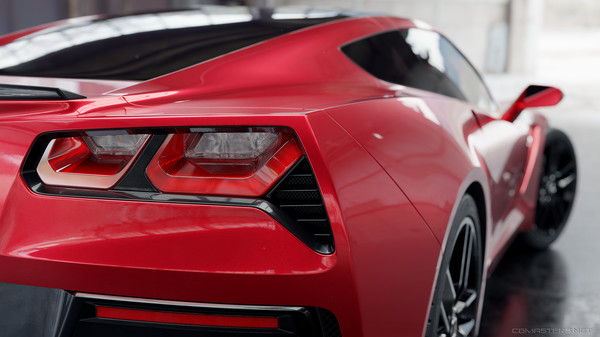
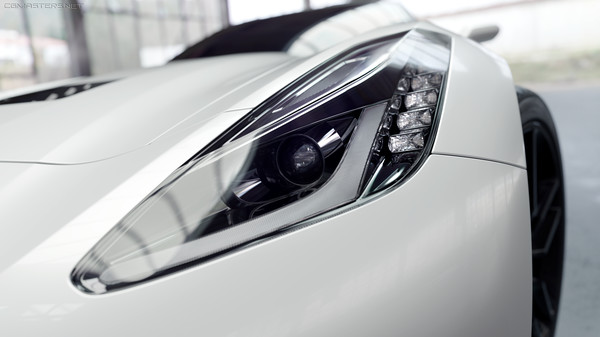
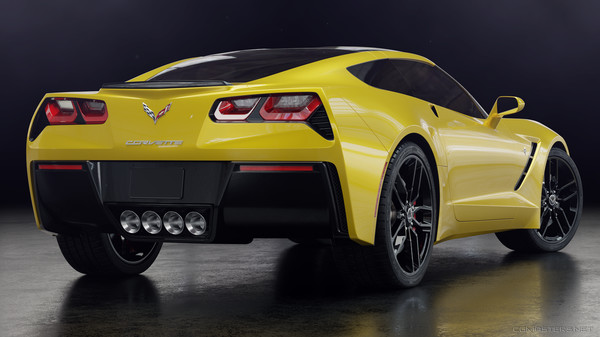
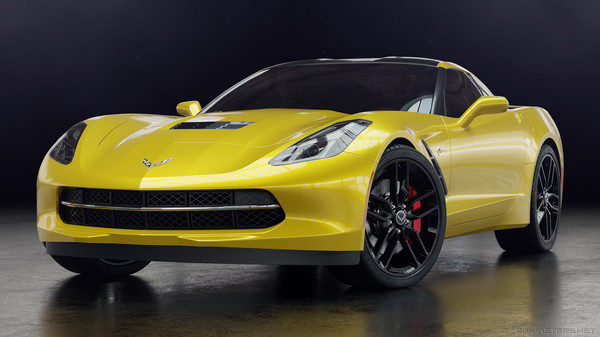
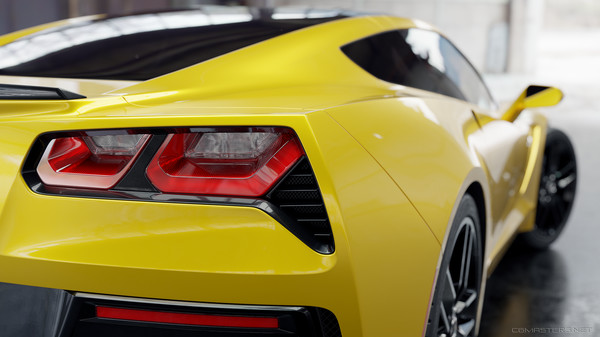
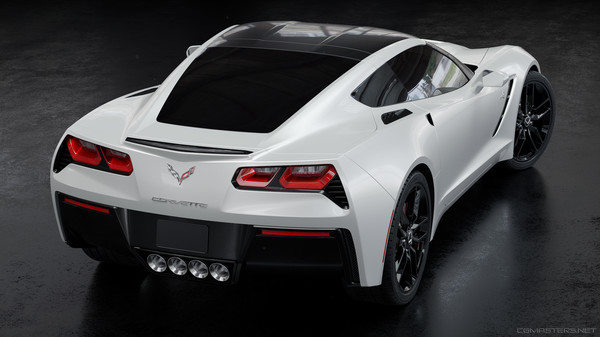
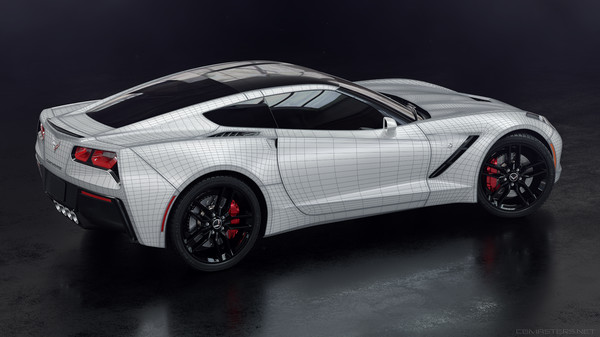
All the secrets to creating an amazing car in Blender are packed into this step-by-step course. I’ll take you through every step of the creation process for creating a Corvette Stingray, including modeling, shading, rendering, and compositing.

Detailed Description

Steam Video

This content is only available in an online streaming format. More information about streaming videos can be found in the Streaming Videos on Steam FAQ.


#label_about_the_series

Overview

All the secrets to creating an amazing car in Blender are packed into this step-by-step course. Over 15 years of experience and 6 months of development bring you a Blender training course like no other. I’ll take you through every step of the creation process for creating a Corvette Stingray, including modeling, shading, rendering, and compositing. You’ll learn all the techniques you need to know to create flawless surfaces and impressive renders.

Get Perfect Curves with Advanced Modeling Techniques

The biggest hassle of subsurf modeling is dealing with adding details to curved surfaces and having that additional topology ruin your smooth surfaces. In this course I’ll show you methods that bypass that problem entirely so you can maintain your perfect curves without any hassle. Not only are the results perfect, but the workflow is actually fun and much faster when you don’t have to worry about every detail affecting your surfaces. Plus one of the best benefits is total and care-free control over the resulting topology of your model.

Advanced Modifier Usage for Efficiency and Awesomeness

Modifiers are so insanely powerful, and can be combined in so many ways to achieve really complex tasks. In this course you’ll learn a ton of different and unique ways to use modifiers. From general complex modeling tasks, to other things like instantly getting your windshield wipers flush against the windshield surface, we’ll be using modifiers to make our lives easier in making just about everything.

Shading and Rendering

I’ll be showing you how to create your own customize-able car paint including metallic flakes and orange peel, and all other shaders necessary for the final renders. Then we’ll be setting up an environment to get the right lighting and reflections, and setting up some compositing nodes for a little post processing.

Keep in Touch!

This is an intermediate difficulty course so as long as you have some experience with blender you should be able to follow along fine. But if you need any help going through the project you can get in touch with me. Or even if you just want to share your progress or chat about the techniques!

About the Game

Overview

All the secrets to creating an amazing car in Blender are packed into this step-by-step course. Over 15 years of experience and 6 months of development bring you a Blender training course like no other. I’ll take you through every step of the creation process for creating a Corvette Stingray, including modeling, shading, rendering, and compositing. You’ll learn all the techniques you need to know to create flawless surfaces and impressive renders.

Get Perfect Curves with Advanced Modeling Techniques

The biggest hassle of subsurf modeling is dealing with adding details to curved surfaces and having that additional topology ruin your smooth surfaces. In this course I’ll show you methods that bypass that problem entirely so you can maintain your perfect curves without any hassle. Not only are the results perfect, but the workflow is actually fun and much faster when you don’t have to worry about every detail affecting your surfaces. Plus one of the best benefits is total and care-free control over the resulting topology of your model.

Advanced Modifier Usage for Efficiency and Awesomeness

Modifiers are so insanely powerful, and can be combined in so many ways to achieve really complex tasks. In this course you’ll learn a ton of different and unique ways to use modifiers. From general complex modeling tasks, to other things like instantly getting your windshield wipers flush against the windshield surface, we’ll be using modifiers to make our lives easier in making just about everything.

Shading and Rendering

I’ll be showing you how to create your own customize-able car paint including metallic flakes and orange peel, and all other shaders necessary for the final renders. Then we’ll be setting up an environment to get the right lighting and reflections, and setting up some compositing nodes for a little post processing.

Keep in Touch!

This is an intermediate difficulty course so as long as you have some experience with blender you should be able to follow along fine. But if you need any help going through the project you can get in touch with me. Or even if you just want to share your progress or chat about the techniques!

Frequently Asked Questions

How many players are currently playing Master Car Creation in Blender?
0 players are currently in-game on Steam.
Is Master Car Creation in Blender free to play?
Yes, Master Car Creation in Blender is free to play on Steam.
What genre is Master Car Creation in Blender?
Master Car Creation in Blender is a Tutorial game.
Who developed Master Car Creation in Blender?
Master Car Creation in Blender was developed by CGMasters.net.
What platforms does Master Car Creation in Blender support?
Available on Steam for Windows, macOS, Linux.